About me: My name is Solène Rapenne, pronouns she/her. I like learning and
sharing knowledge. Hobbies: '(Reproducibility BSD OpenBSD Lisp cmdline gaming security QubesOS internet-stuff). I
love percent and lambda characters. Former Qubes OS core team member / OpenBSD developer solene@.
Contact me: solene at dataswamp dot org or
@solene@bsd.network (mastodon).
I started playing with IPFS because I wanted a different way of publishing data over the Internet. My first experiments with IPFS and a private swarm showed that the technology is useful, but the user experience is bad. It is easy to get an IPFS node running, but hard to make it useful in real world.
The issue was not only that the protocol itself is complicated: IPFS is not a file server, it is a content-addressed system where files are identified by a CID, which is a hash of the content. This gives strong integrity guarantees, but it also means most people are puzzled by files addresses looking like bafybeidbnzlne4dmw4ouep4ppb5zpzoye5t6uj32qpv76ifwm6wnehaygm.
The private IPFS swarm was not really good for the use case I had in mind, I wanted to easily publish content over IPFS and potentially allow friends to do so, but this required to handle some quota management.
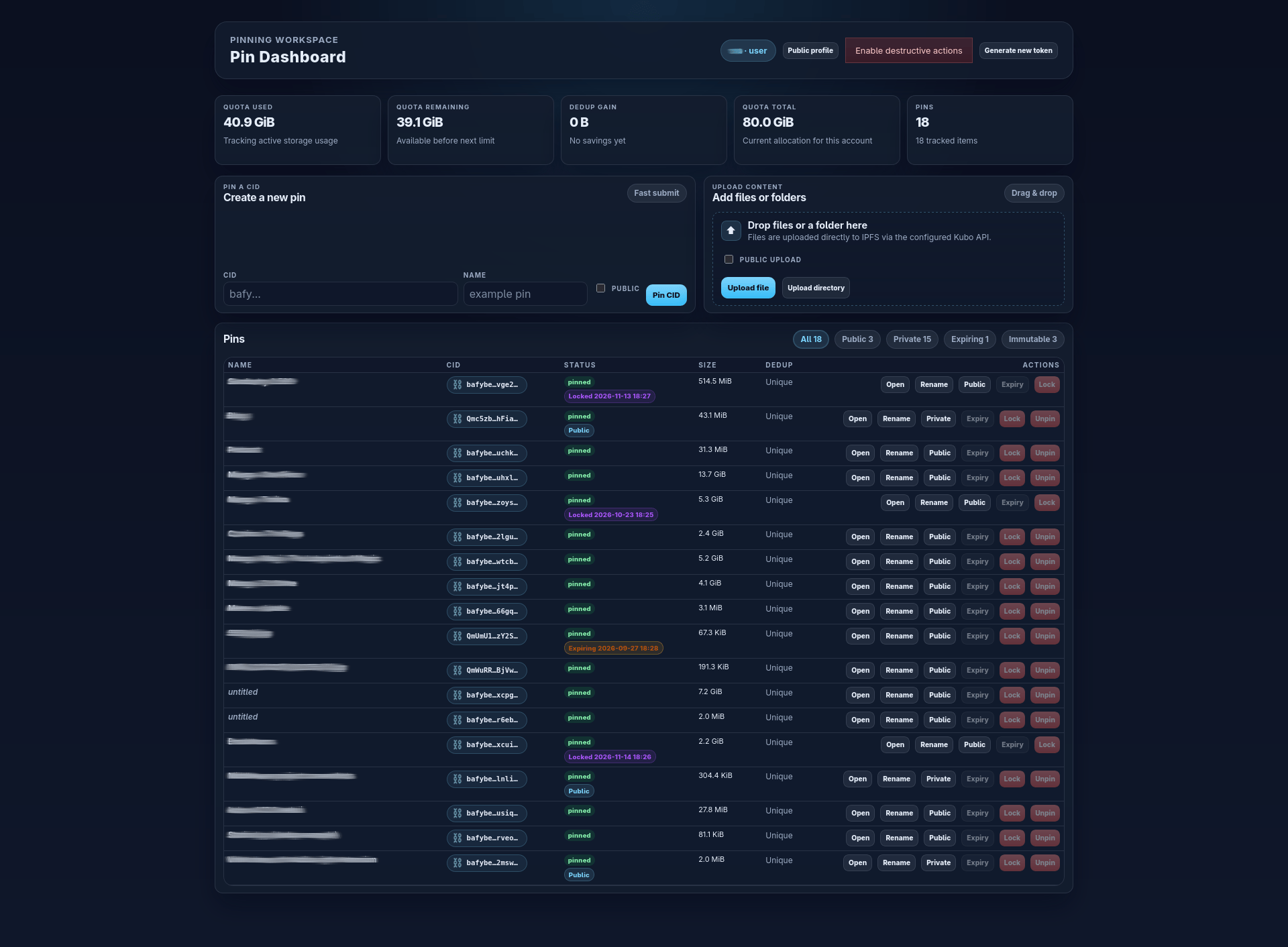
This is how I ended up writing a small middleware project, because IPFS already handled this with a "remote pinning service" protocol, but there were no open source tool for this. This let users pin IPFS content to a remote server/cluster, then it grew into a service that allow end users to not even use IPFS at all. They can upload files, pin an IPFS CID, publish content through a RSS feed, prevent a CID deletion until a certain date.
In this post, I will explain what I built and who can use find it useful.
I also wrote a companion app that allows Nautilus (GNOME file browser) that allows user to right-click on files/directories and publish over IPFS + remote pin in two clicks.
The first problem was IPFS itself, it is not easy to understand and the ecosystem UX (kubo, ipfs-desktop) does not help.
In the end, I wanted a simple system where users can upload a file, get a link, remove it, etc...
The project started as a middleware to allow IPFS users to pin IPFS content to a 24/7 server. Over time, it became a web interface for a small set of users.
upload files / directories
pin a CID
publish links over the https gateway through an RSS feed made of pinned data set to "public"
set an expiration date that will trigger the CID unpinning
set a lock date that prevent the user to unpin the file before the defined date
keep quotas under control for different users (while still accounting space saved by deduplication per users)
This is useful for a small group that wants to share files publicly. There are only a couple of proprietary services that offer something similar, and I wanted an open source alternative that could run at home or in a small structure.
The server runs as the long-lived pinning node, users do not need to manage their own IPFS daemon, nor do they need to understand the mechanics of IPFS, pinning, CID, gateways... They just push content to the service and the server takes care of preserving it.
The reason I kept going with IPFS is that it cool, and it gives a few real advantages that are useful for publishing.
The biggest one is content addressing. A CID is a checksum of the content, if you know the URL of a file, you can verify that the content you received matches the expected hash. That is a useful property for trust and integrity. It gives a simple, clear way to check whether the content has changed, which is for instance useful when iterating over something, all previous versions of the files are still accessible for comparison if you know their CID (and they exist somewhere on IPFS).
This also helps network load, if a small group of people needs to share a lot of files, or serve a lot of volume, the network can spread that load across multiple peers (only between IPFS users, or if people add IPFS gateways), but this gives more control to users if they want to move their data somewhere else.
There is another practical benefit, that is more technical. IPFS lets you use a content-based DNS record (this is called dnslink in IPFS). With dnslink, you can point a subdomain to an IPFS content hash, which makes it possible to use strong CSP headers, which is useful because a strict Content Security Policy (CSP) can help building "static interactive websites" (like cyberchef or omnitools) with security enforced.
I published a few open source projects that are supposed to work 100% within the browser without extra network, they are hosted through my pinning service, with very strict CSP headers that forbid the web browser to connect to another domain.